
To maximize communication efficiency and reduce unnecessary clarification, Bestodental standardizes digital case submission using three structured components to ensure we receive complete and accurate case information. A complete digital case should include:
- Intraoral scan files
- Prescription form photo
- Case information
For file organization, please follow this structure:
- The intraoral scan files and prescription photo should be placed together inside a subfolder named after the patient.
- The case information for all patients should be compiled into one unified Excel sheet, listing each case clearly.
This structured format is particularly important because the denture production cycle typically runs within one week. During case review or fabrication, our team may occasionally discover that certain clinical details were not fully provided. When a prescription photo is included, our technicians can immediately cross-check the original form to clarify uncertainties without pausing production.
Without this reference, the case may need to be put on hold while waiting for confirmation, especially when time zone differences are involved. If multiple cases require clarification at the same time, these interruptions can accumulate and delay production by several days.
By organizing files in this way, we minimize avoidable pauses and help maintain a stable and predictable turnaround schedule.
Below is the recommended structure and formatting method for organizing each file.
1. Intraoral Scan Files
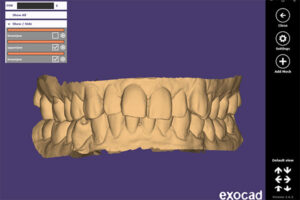
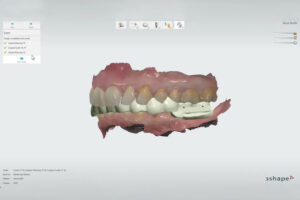
The intraoral scan files form the technical foundation of the entire restoration process. Accurate and complete STL files allow our design team to evaluate margins, occlusion, and spatial relationships before fabrication begins. Please ensure the following files are included in each patient folder:
Please include:
- Upper arch STL
- Lower arch STL
- Bite scan STL
- Scan body STL (for implant cases, if applicable)
When exporting your scan, please make sure you select the correct export format. As shown in the screenshot below, choose the standard STL export option such as “Color Export – Open Model” or equivalent STL format provided by your system.
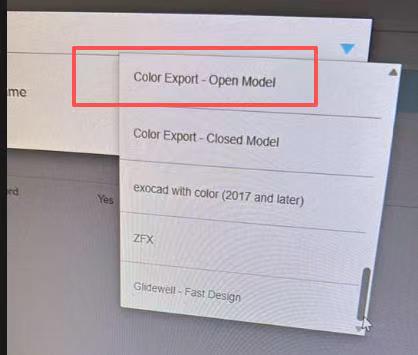
Avoid sending temporary session files or proprietary project files that cannot be opened directly by external laboratories. Only finalized STL exports should be submitted to Bestodental.
Selecting the correct export format ensures that our design team can open, review, and begin working on your case immediately. Incorrect export formats may require re-exporting, which can delay case review and production.
2. Prescription Form Photo
When taking a photo of the prescription form, please ensure the image is clear and readable.
If you are a laboratory forwarding the case, we recommend covering or masking any dentist contact details, clinic information, or other sensitive data before taking the photo. This helps protect your client relationships and ensures data confidentiality.
As shown in the example below, our client used a small piece of paper to cover sensitive information before taking the photo. Only clinical information necessary for fabrication should remain visible.
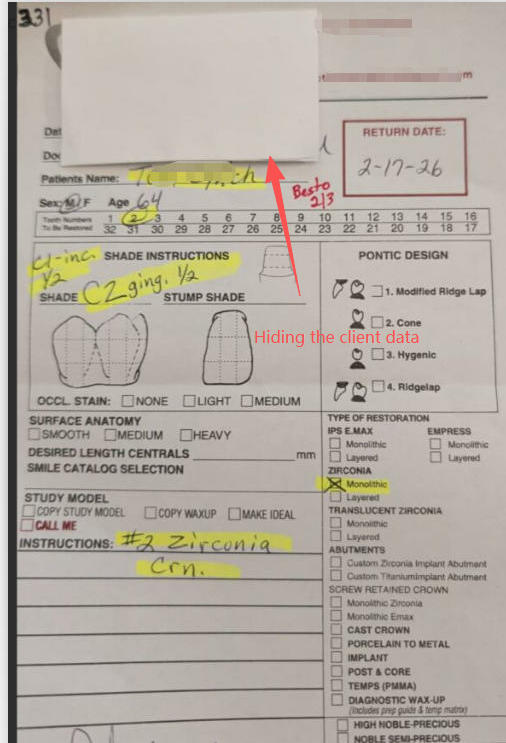
Maintaining proper data protection practices is an important part of professional digital collaboration.
Bestodental fully respects your client ownership and understands the importance of safeguarding your business information.
Please include a clear photo or scanned copy of your prescription form.
This helps our team double-check critical details such as tooth number, restoration type, shade, and special instructions.
3. Case Information (Written Details)
In addition to STL files and prescription photos, please clearly provide:
• Patient name or case ID
• Tooth number(s)
• Restoration type
• Shade
• Material
• Margin design preference
• Occlusal or aesthetic notes
• Special instructions
Even if this information appears on the prescription photo, we recommend including it in written format to avoid misinterpretation and improve processing speed.